You asked an AI tool such as ChatGPT or Claude to build your website, and now it exists only on your computer. These steps put it on the internet under your own domain.
What you need
- Your website files. A simple site is one file named
index.html. Some tools give you a.zipwith several files. - A domain name, such as
yourbusiness.com, bought from a domain registrar. - A hosting plan with your domain added, as in step 1.
1. Add your domain
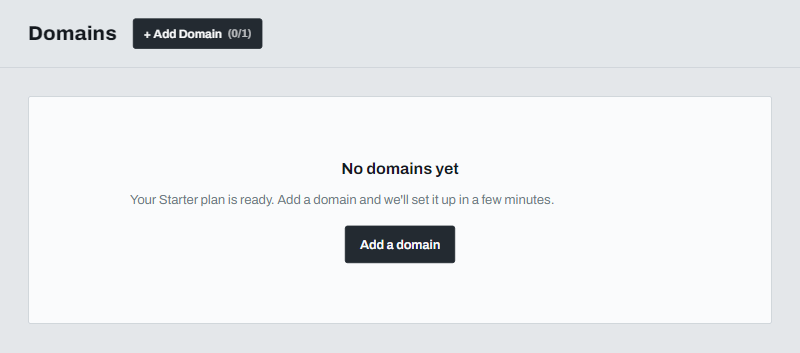
Open Websites in the left menu and click Add a domain.
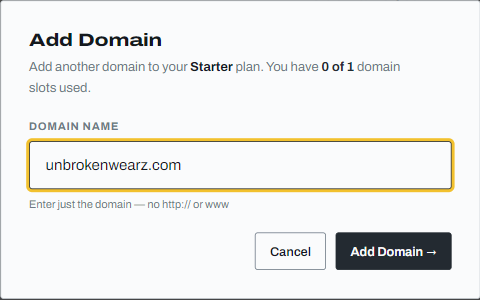
Type your domain without http:// or www, then click Add Domain.
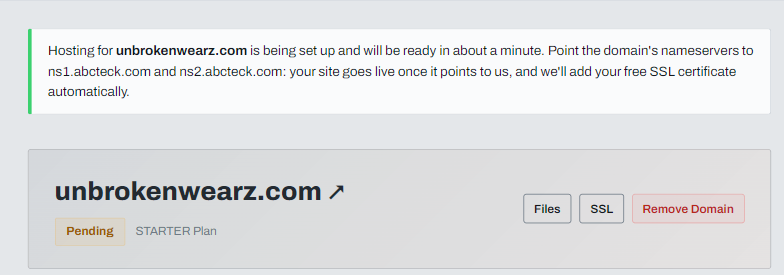
Your hosting is set up automatically. The status shows Pending and changes to Active after a couple of minutes.
2. Upload your website
Open File manager. The folder named httpdocs is your public folder: whatever is in it is what visitors see. Click Upload and choose your index.html. It replaces the placeholder page that was already there.
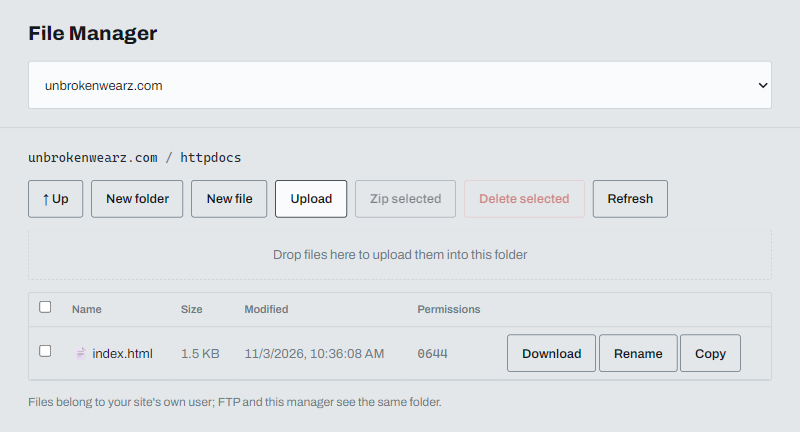
If you have a .zip, upload it and click Extract. See Upload files and extract a zip in the File manager for the details.
3. Point your domain to us
Change your domain's nameservers to ns1.abcteck.com and ns2.abcteck.com at the company where you registered it. The domain page shows both values with a Copy button.
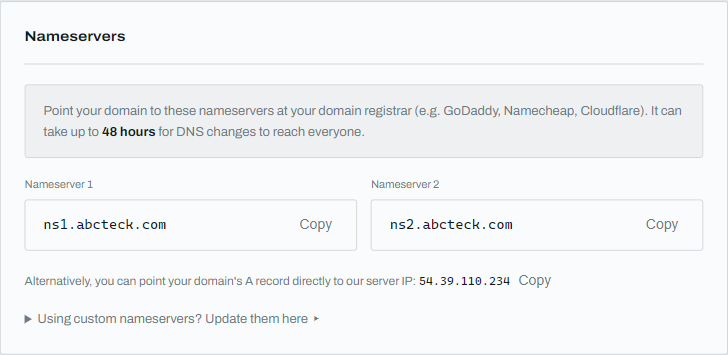
See Pointing your domain to ABC Teck for the steps, including GoDaddy. A change can take up to 48 hours to reach everyone, but often finishes sooner.
4. Check your site and turn on HTTPS
Once the domain points to us, your site is live and a free SSL certificate is added automatically.
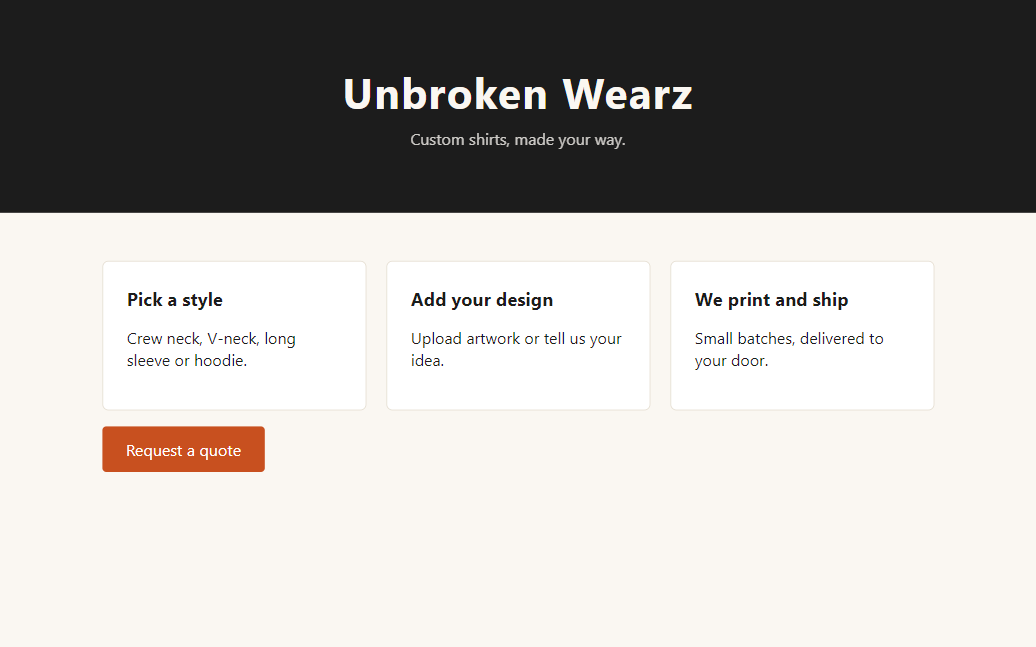
Then turn on the HTTPS redirect so visitors who type http:// are sent to the secure version.
Not every AI-built site is a single file
- One
index.html, or a folder of HTML, CSS and images: follow this article. - You would rather edit visually: install WordPress.
- Your project is a Node.js app (it has a
package.jsonand a start file): run a Node.js app.
Step-by-step guides for specific tools: ChatGPT and Claude.
New to the words domain, hosting and nameservers? Read Domain, hosting and nameservers: what's the difference?. An overview of every case is on Hosting for websites built with AI.
If the site does not show
See My website isn't showing yet. If you are still stuck, open a support ticket from your dashboard.