Your site gets a free SSL certificate automatically once your domain points to us (see Free SSL certificates). The certificate makes the secure address work. The HTTPS redirect makes everyone use it.
Turn it on
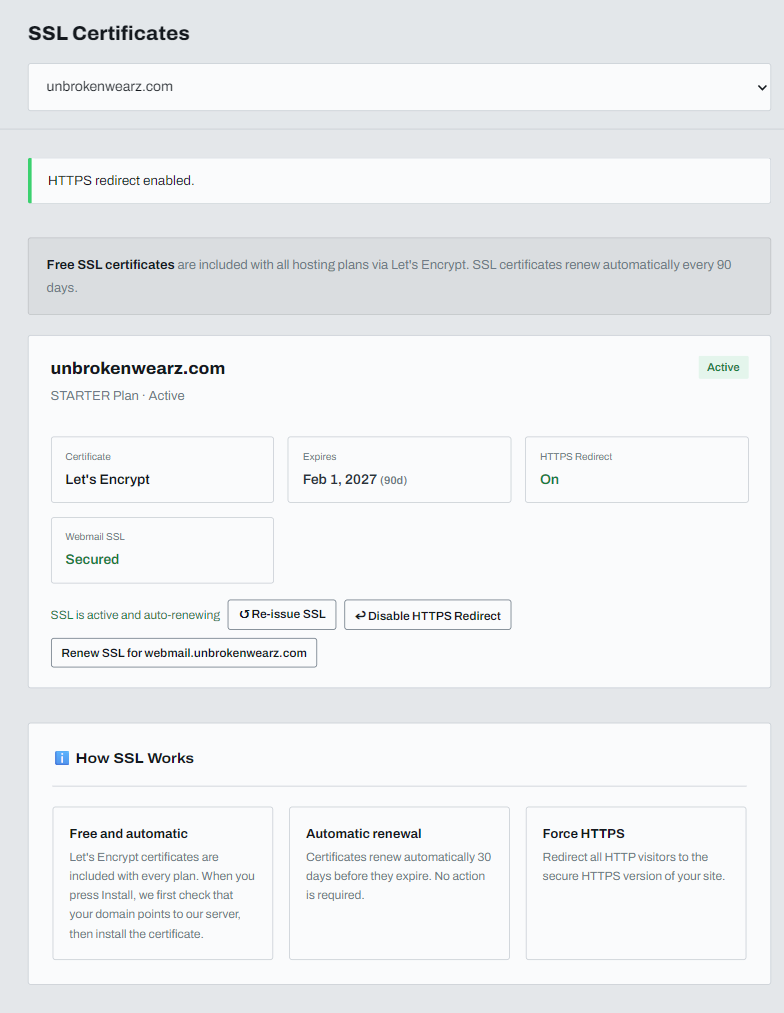
- Open SSL in the left menu and choose your domain.
- Check that the certificate shows Active.
- Next to HTTPS Redirect you will see Off. Click Enable HTTPS Redirect.
The page confirms with HTTPS redirect enabled, and the setting changes to On.
Check that it works
Type your domain with http:// at the start. The browser should land on the https:// address with the padlock.
Turn it off
Click Disable HTTPS Redirect on the same page.
If the certificate is not Active
The domain must point to us first. See Pointing your domain to ABC Teck and My website isn't showing yet.